

A desktop RGB atmosphere light is both a luminaire and a small connected system. The lamp, power supply, controller, phone app, network, cloud service and voice platform can all affect the result. Successful selection therefore requires more than checking whether the packaging says Bluetooth, Wi-Fi or app control.
Start with the exact model and control package. Map each command path, define the scenes users actually need, compare color and brightness across samples, and verify recovery after power or network interruptions. Decorative RGB choices are useful, but they are not the same as calibrated color management.
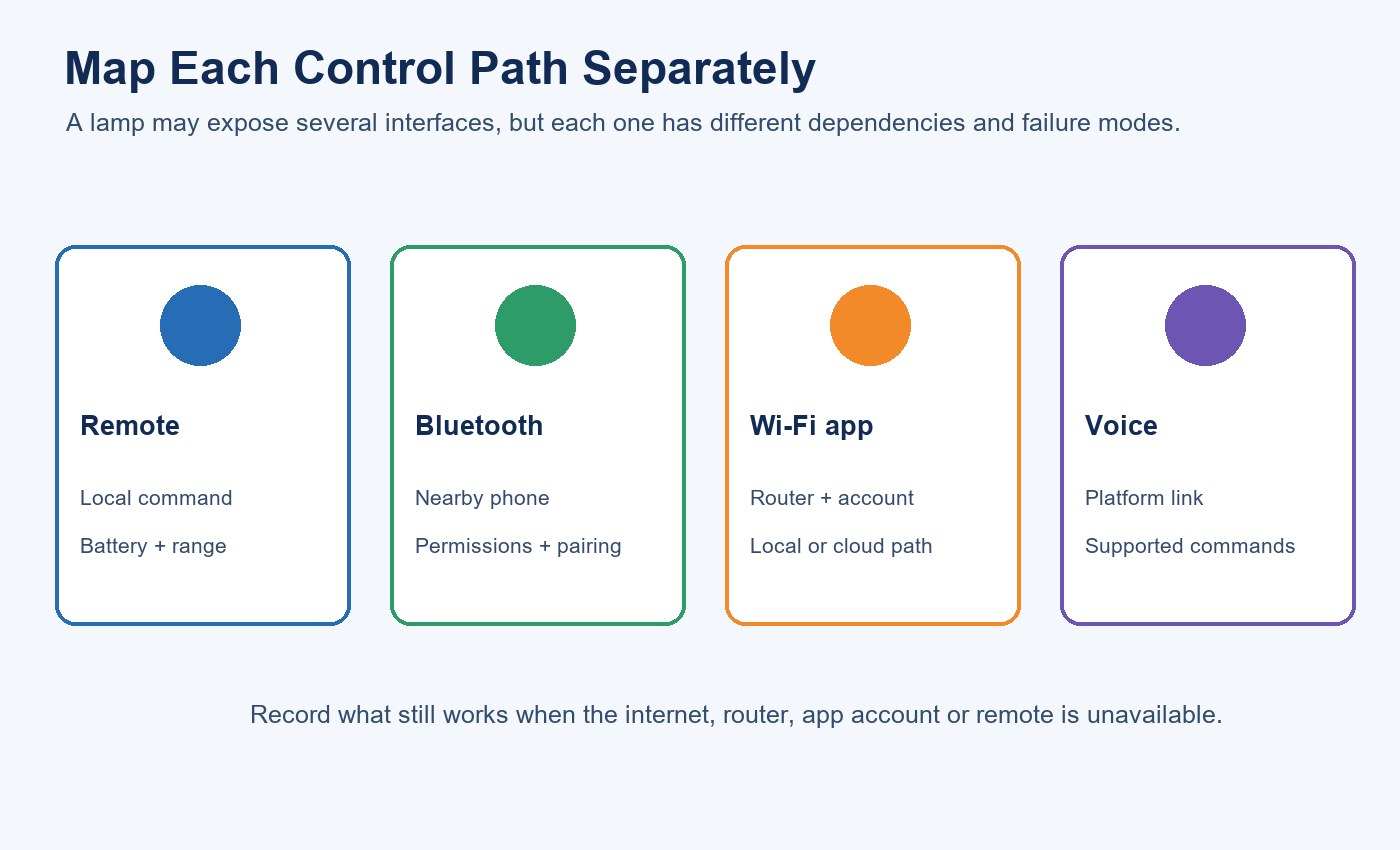
| Control path | Typical dependency to verify | Acceptance question |
|---|---|---|
| Remote | Battery, range and receiver behavior | Which commands work without a phone or network? |
| Bluetooth | Phone permissions, pairing and nearby range | Can the lamp be controlled after Wi-Fi is unavailable? |
| Wi-Fi app | Router, frequency band, account and service region | Which functions are local and which require cloud access? |
| Voice platform | Account linking and exposed command set | Are level, color, scenes and grouping all supported? |
Identify the Exact Product and Controller Package
The current New Lights Desktop RGB Atmosphere Light Bars family includes four upright profiles: XGYDAL-LXD002-E10, XGYDAL-LXD005-E10, XGYDAL-XPL003-E10 and XGYDAL-LXD043-E10. The current product page lists 5 V input, ABS + PC construction and Bluetooth, Wi-Fi app and remote-control configurations. It also distinguishes 10 W models from the 12 W XPL003 configuration.
Do not identify a sample by enclosure shape alone. Record the model label, controller, supplied power adapter, cable, app version and firmware shown during setup. Two visually similar lamps can behave differently if the controller or firmware changes.
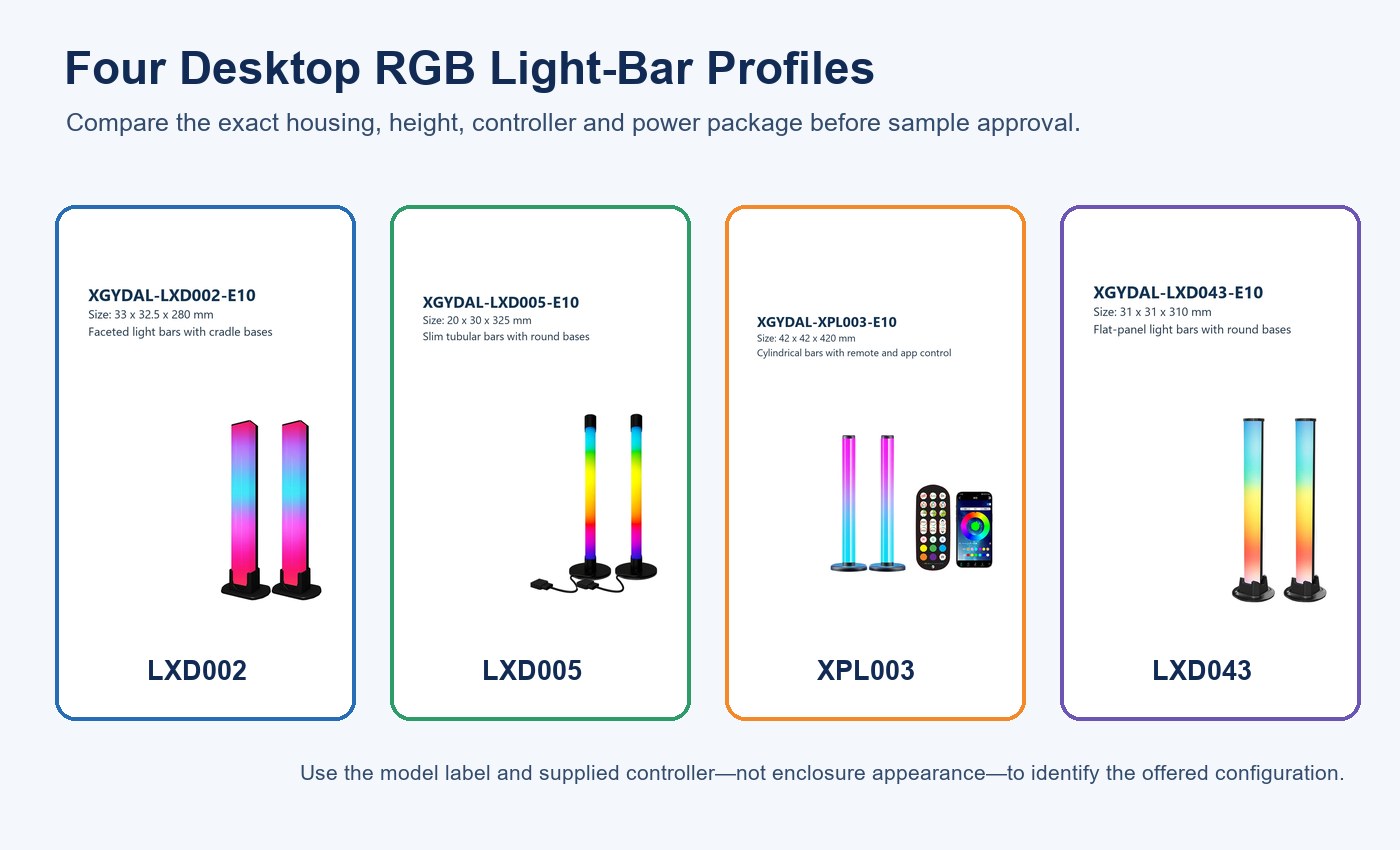
| Model | Listed rated input | Height | Approval focus |
|---|---|---|---|
| XGYDAL-LXD002-E10 | 10 W, 5 V 2 A | 280 mm | Base footprint, controller and scene behavior |
| XGYDAL-LXD005-E10 | 10 W, 5 V 2 A | 420 mm | Taller profile, stability and control range |
| XGYDAL-XPL003-E10 | 12 W, 5 V 2.4 A | 350 mm | Supplied adapter and full-output behavior |
| XGYDAL-LXD043-E10 | 10 W, 5 V 2 A | 280 mm | Model identification and controller mapping |
The table is a starting identity record, not a universal feature matrix. If an order includes several control packages, treat each package as a separate configuration until its functions have been checked.
Verify the Power Path Before Diagnosing Smart Control
A lamp that resets, changes color or disconnects under full output may have a power problem rather than an app problem. Use the specified adapter and cable. Record connector type, cable length, adapter rating and voltage at the lamp while a bright white or high-output mixed-color scene is active.
Test each sample with the supplied production-intent power package. A connector that fits does not prove that an alternative adapter can deliver the required current or maintain stable voltage. If the buyer will bundle a different adapter, repeat electrical and functional checks with that exact combination.
The broader LED driver, dimming and control compatibility guide explains why the lamp, control electronics and supply should be evaluated as one system. Where visible modulation matters, use the measurement approach in the LED flicker, power factor and THD buyer checklist rather than relying on a phone-camera impression.
Map the Control Paths and Command Boundaries
Start with local control
Test the remote before creating an app account. Record on/off, brightness, static colors, effects and speed controls that are actually available. Check range, line of sight, battery type and whether one remote unintentionally operates nearby lamps.
Local control provides a useful fallback only if it remains functional when the phone, router or internet is unavailable. Verify that condition directly.
Separate Bluetooth from Wi-Fi behavior
Bluetooth can be used for onboarding, nearby operation or both. Wi-Fi can enable remote access and platform integration, but the exact path depends on the offered controller and app. Record the supported Wi-Fi band, permissions requested during onboarding, account region, pairing limit and whether Bluetooth remains available after Wi-Fi setup.
Test with more than one phone only when multi-user access is part of the requirement. Define who owns the device, how access is shared and what happens when the original account is removed.
Treat voice support as a command matrix
A platform logo does not tell the buyer which commands are exposed. Build a matrix for the exact integration: on/off, brightness, named colors, white-light settings, scenes and group control. Record commands that fail or map to a different state.
Do not use voice-platform compatibility as evidence of Matter certification. Matter is a separate interoperability specification with product- and software-specific conformity evidence. If Matter is required, request the applicable certificate identity and version details for the offered unit.
Define Scenes as Testable States
Names such as “gaming,” “relax” or “party” are too vague for sample acceptance. Define each scene by control path, static color or effect, brightness, transition behavior and the state expected after a restart. Use a short list that reflects the real installation.
For example, a hospitality counter may need Welcome, Service, Evening and Closed scenes. A retail display may need a neutral merchandise state plus one branded accent. A gaming desk may prioritize low brightness, rapid local control and no distracting restart behavior.
| Scene field | Example record | Why it matters |
|---|---|---|
| Recall path | Remote button, app tile or voice phrase | Confirms how users will trigger it |
| Output state | Static RGB, white or dynamic effect | Prevents ambiguous visual approval |
| Brightness | Defined app value or measured level | Makes sample comparison repeatable |
| Transition | Immediate, fade or effect speed | Exposes timing differences |
| Recovery | Off, default or last state | Determines switched-outlet usability |
Test Color and Brightness Consistency
Selectable colors describe user choices, not measured color coordinates or tolerances. For one decorative desk lamp, side-by-side visual review may be enough. When multiple lamps illuminate the same wall, shelf or counter, small differences become easier to see and should be measured.
Place samples at fixed geometry and allow the same warm-up time. Send identical red, green, blue, white and mixed-color commands at several brightness levels. Record chromaticity or color coordinates, illuminance or luminance, input power and command-to-output delay. Compare at least two samples, and compare production lots when consistency is commercially important.
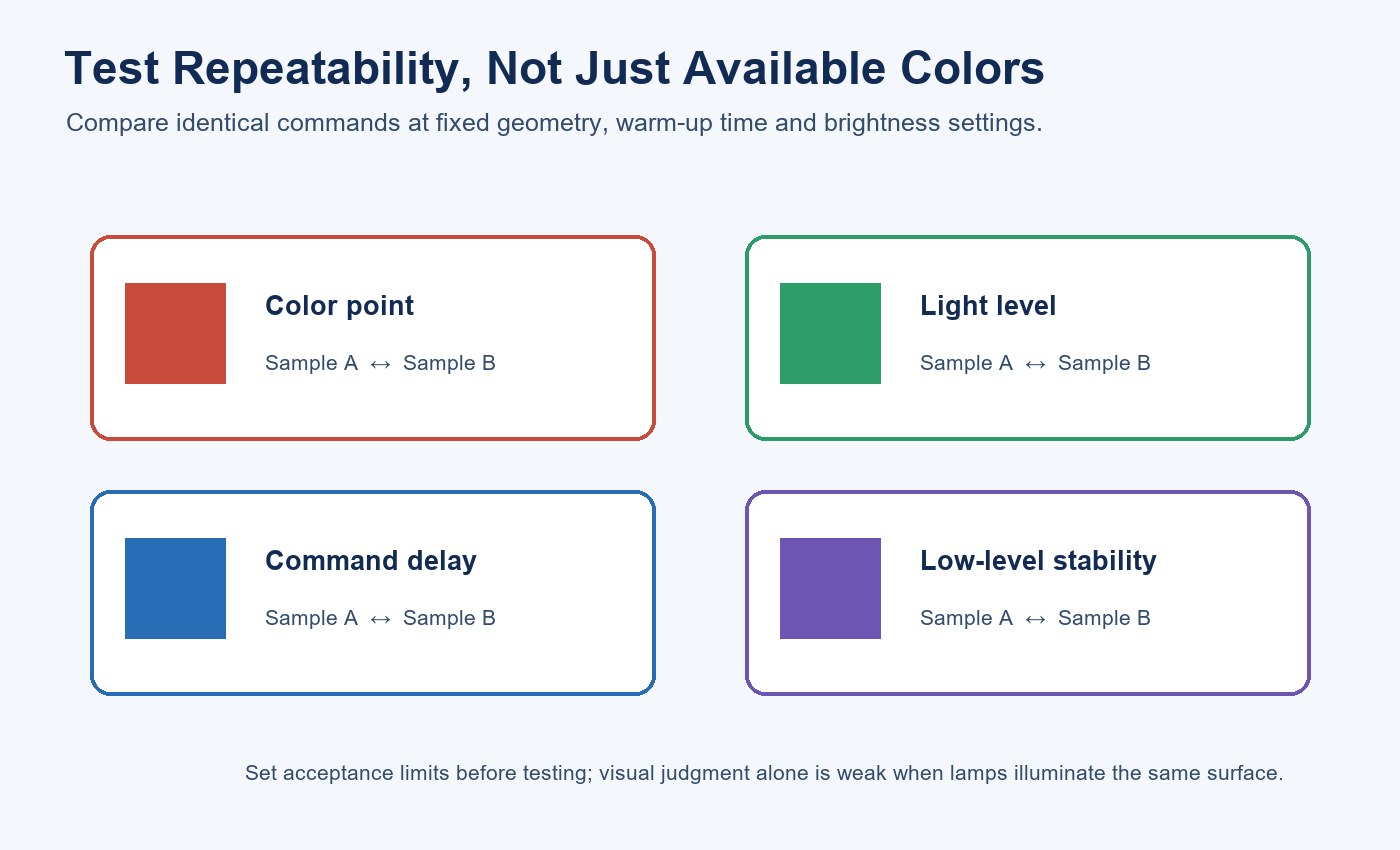
Color rendering index applies to a defined white-light state; it does not describe saturated RGB accuracy. Likewise, a list of available RGB colors does not establish gamut or batch consistency. If the white state is intended for practical illumination, define its correlated color temperature, color rendering, output and tolerance separately. The color temperature and CRI guide provides the relevant distinction.
Check Grouping, Latency and Control Precedence
If several lamps will operate together, verify the maximum group size and whether the group is executed locally or through a cloud service. Send simultaneous on/off, brightness, color and scene commands. Record visible delay, missed commands and whether dynamic effects drift out of synchronization.
Also test precedence. If a remote changes one lamp after an app scene is active, does the app show the new state? If a schedule and voice command overlap, which wins? These second-order behaviors often generate more support work than initial pairing.
For a project that needs deterministic timing, define an acceptable delay and recovery limit. “Smart” does not mean predictable unless the complete control path is tested.
Verify Power-Loss and Network Recovery
Set a known scene, remove power and restore it after defined intervals. Record whether the lamp returns off, resumes its last state, enters a default mode or starts pairing. Repeat with the router offline, the internet disconnected but local Wi-Fi active, and the app account signed out.
| Interruption | Record after recovery | Decision supported |
|---|---|---|
| Lamp power cycle | Output state and time to respond | Switched-outlet suitability |
| Router restart | Reconnection time and available controls | Routine network recovery |
| Internet outage | Local functions that remain available | Cloud-service dependency |
| Phone or account change | Transfer, reset and ownership steps | Lifecycle support |
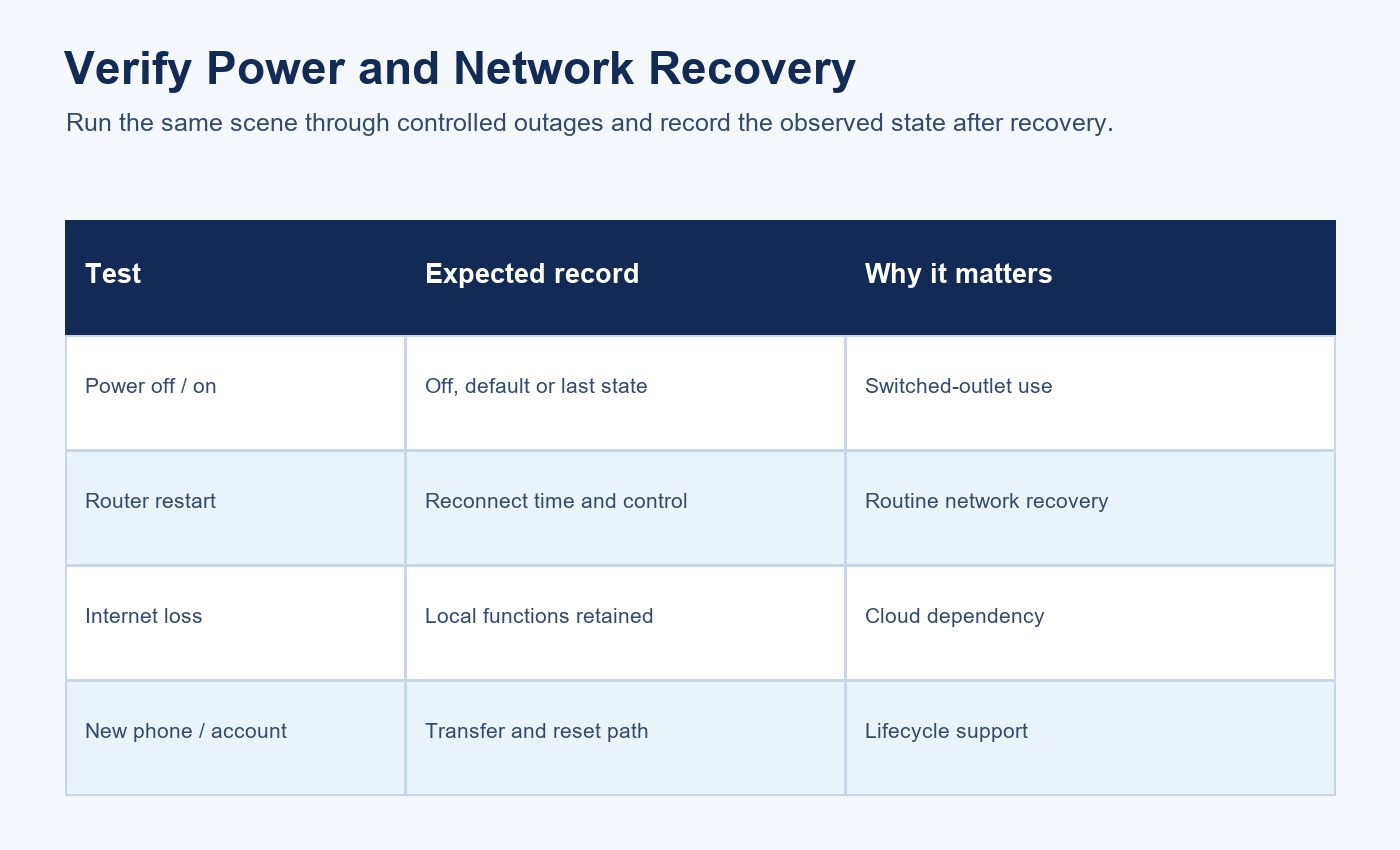
The test record should answer practical questions: Will a switched outlet create an unwanted startup effect? How long does reconnection take? Can local control continue during an internet outage? What is the reset procedure after a router or phone replacement?
Review App, Privacy and Firmware Lifecycle
A connected lamp may depend on a phone app, account and backend service as well as the physical device. NIST’s consumer IoT guidance treats the product as this broader set of components and emphasizes capabilities such as secure configuration, data protection, software updates and lifecycle documentation.
For the offered configuration, obtain the app identity, supported regions, permissions, account-deletion method, device-transfer method, update process and stated support period. Determine whether updates are automatic and how a failed update or discontinued service would affect essential functions.
Do not infer cybersecurity from a platform logo. Market requirements and risk controls depend on product architecture and destination. The LED product compliance document checklist can be extended with the connected-product evidence required by the target market.
Build a Production-Intent Sample Record
Use the LED lighting sample evaluation checklist to link the physical sample to model, controller, adapter, app and firmware. Add the command matrix, scene definitions, color measurements, grouping results, recovery tests and unresolved exceptions.
Keep screenshots as supporting records, but also save measurements and written observations because app interfaces can change. If the product is customized, record approved changes and repeat affected tests on a production-intent sample. The supplier factory audit checklist and New Lights factory and manufacturing overview provide a broader framework for document control and production consistency.
For lifecycle planning, include replacement controllers, adapters, reset instructions and app dependency alongside the physical lamp. The decorative and colored LED lifetime guide explains why system life cannot be reduced to the LED package alone.
Desktop RGB Atmosphere Light Acceptance Checklist
- Match the sample to the exact model label and current product record.
- Record controller, adapter, cable, app, firmware and account region.
- Test remote, Bluetooth, Wi-Fi app and voice paths separately.
- Define a command matrix and named scenes before approval.
- Compare color, brightness and low-level behavior across samples.
- Measure group delay and missed commands where synchronization matters.
- Test power, router, internet and account recovery states.
- Review permissions, data handling, software updates and support lifecycle.
- Preserve production-intent evidence and approve changes through revision control.
If you are preparing an OEM or distribution sample, send the destination market, selected model, required ecosystem, number of lamps, scene list and consistency target when you contact New Lights.
Frequently Asked Questions
Does Wi-Fi control mean the lamp works without the internet?
Not necessarily. Test local Wi-Fi and internet-outage conditions separately to establish which commands remain available.
Are selectable RGB colors a professional color specification?
No. They are control choices. A professional consistency requirement needs measured color coordinates, output conditions and tolerances.
Does Alexa or Google Home compatibility prove Matter support?
No. Voice-platform integration can use another protocol or cloud path. Matter conformity requires separate product-specific evidence.
Can several desktop atmosphere lights display the same color?
They may be grouped if the exact controller supports it, but visual consistency and command timing should be tested across the actual samples.
Will the lamp remember its scene after power loss?
That behavior depends on the controller and firmware. Verify it with a controlled power-recovery test and record the observed state.
Editorial Sources
- New Lights, “Desktop RGB Atmosphere Light Bars”: https://new-lights.com/products/ambient-lights/desktop-atmosphere-lamp/
- New Lights, “LED Smart & Ambient” catalogue: https://www.new-lights.com/new-lights/2024/12/06/ledsmartambient.pdf
- Connectivity Standards Alliance, “Matter Application Cluster Specification”: https://csa-iot.org/wp-content/uploads/2025/08/3-27350_matter-1-4-2-adopted-application-cluster-specification.pdf
- National Institute of Standards and Technology, “NIST IR 8425: Profile of the IoT Core Baseline for Consumer IoT Products”: https://csrc.nist.gov/pubs/ir/8425/final